
Swiping Transaction Cards
Transaction Cards
Most of the cards you’ll see in Roo fall into just a few patterns. Once you recognize them, swiping becomes automatic.
Normal Spending Cards
These are the cards you’ll see most often. They represent everyday spending coming from your accounts.
Each card represents a single transaction from one of your accounts.
The information on the card helps you quickly recognize what it is, where it came from, and what Roo needs you to do, if anything.
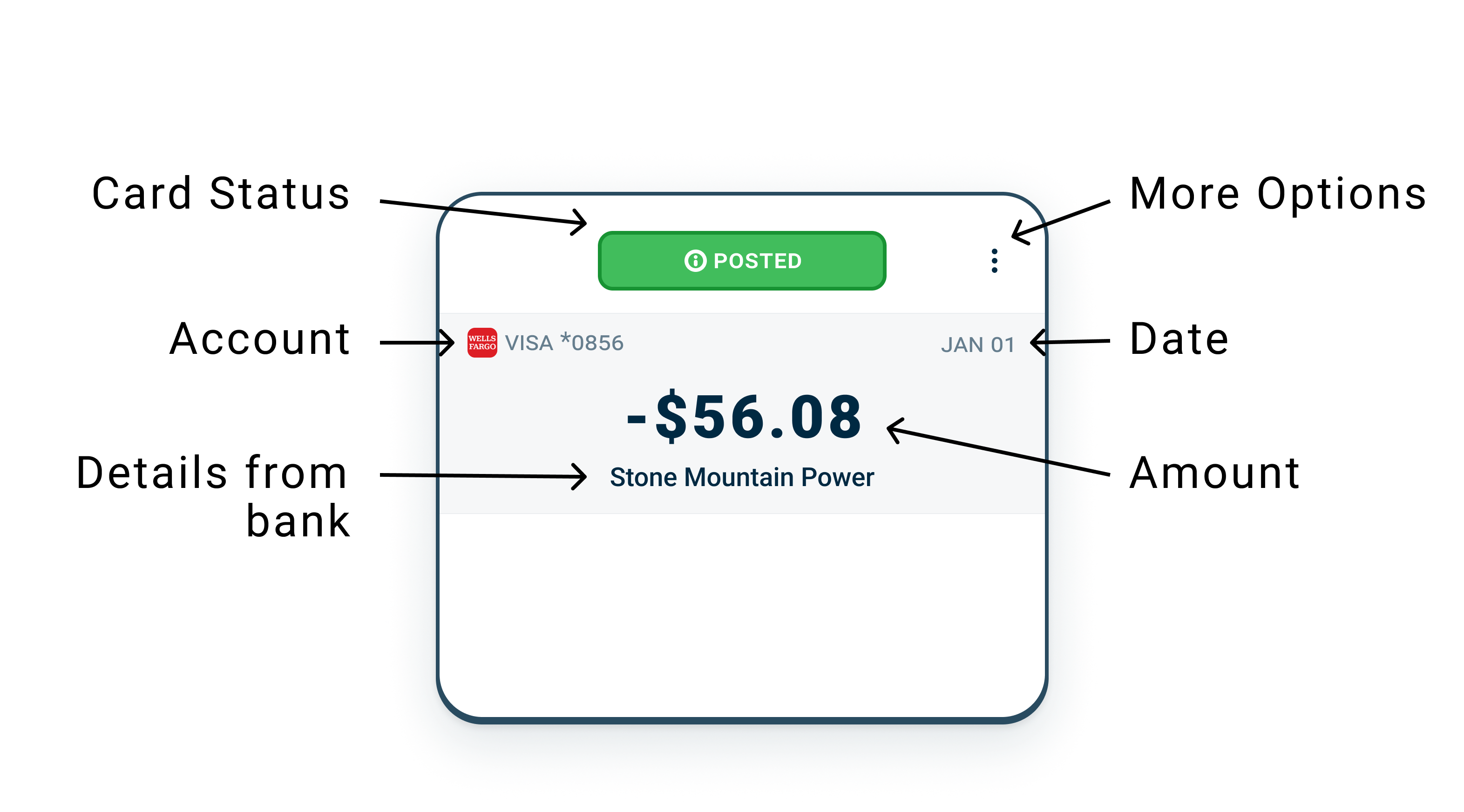
Card Status
The status tells you what stage the transaction is in and what (if anything) you need to do.
Once you learn these, you’ll recognize them instantly.
Posted (most frequently seen)
The transaction is finalized by your bank.
- The amount is locked in
- This is the most common status you’ll see
What to do
- Swipe it to the pouch where it belongs
Pending
Your bank has received the transaction, but hasn’t finalized it yet.
- The amount may change
- The transaction may update or disappear
What to do
- You can swipe it now, or
- You can wait until it posts
👉 Roo will let you know if anything changes.
Posted & Updated
A transaction you already swiped has been updated by your bank.
Common reasons:
- A tip was added
- The final amount changed
What to do
- Keep it where it is, or
- Re-swipe if needed
👉 This is normal. Nothing went wrong.
Deleted
Your bank removed this transaction. This usually happens when:
- A pending transaction is replaced by a final one
What to expect
- A replacement transaction may appear
What to do
- Tap OK
👉 Deleted transactions do not affect your plan or pacing.
Possible Match
Roo thinks this transaction is part of a transfer or credit card payment.
- There is (or will be) another transaction for the same amount
- One side is money leaving, the other is money arriving
What to do
- Tap Match if it’s the same money moving between your accounts
- Or mark Not a Match if it’s real spending
👉 Matching keeps your Daily Cash and pouch totals accurate.
Still Unmatched
One side of a transfer or payment has appeared, but the other side hasn’t yet.
- This often happens when banks post transactions on different days
What to do
- You can wait
- Re-swipe it
- Or remove the match
👉 Waiting is often the right choice.
Income Cards
Money came into your account and Roo believes it’s income.
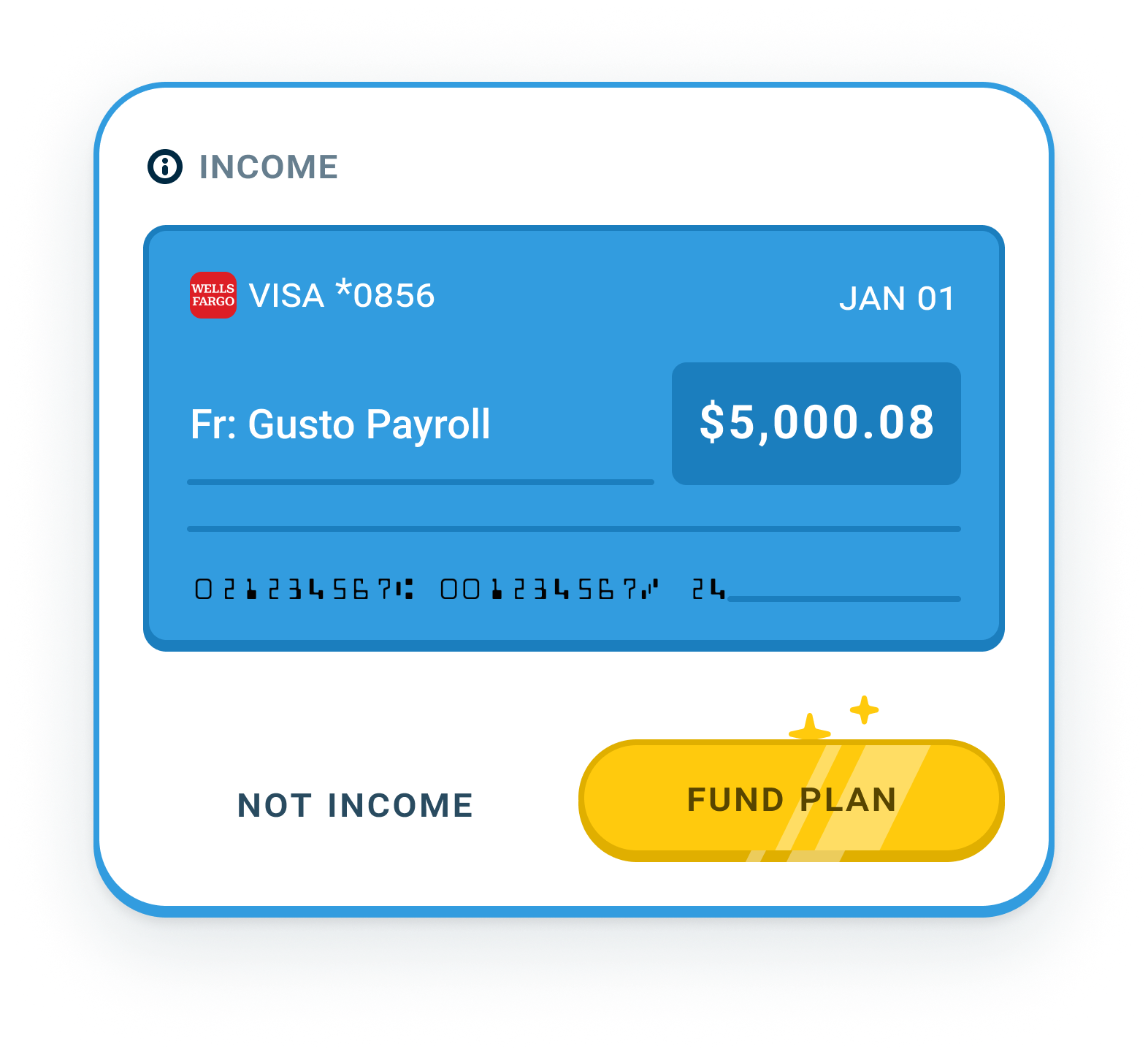
What to do
- Tap Split Income to send the money down your Income Splitter River
- Or mark it Not Income if Roo guessed wrong
👉 Income cards fund your pouches through the Income Splitter River. They don’t get swiped.
Other Money Coming In
Sometimes you may see other positive transactions come in. Roo tries to guess where they should go.
If the Money Is …
A Refund
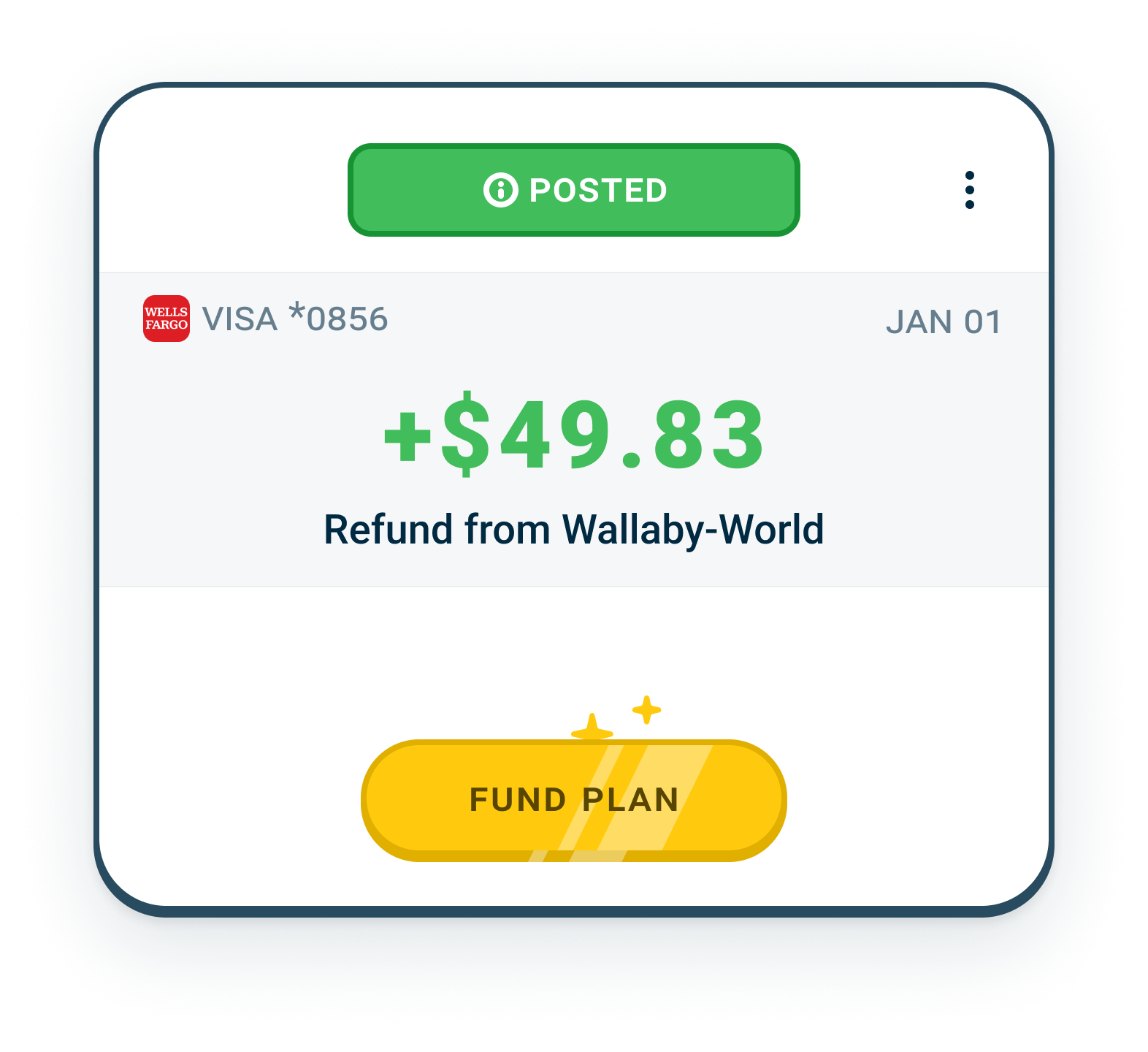
This is money returned to you for something you already spent.
Common examples:
- A store refund
- A returned item
- A corrected charge
What to do
- Swipe it to the same pouch as the original purchase
👉 This keeps that pouch accurate and balanced.
One Time Income
This is money you don’t expect regularly and Roo didn’t recognize as your standard income. It could be a:
- Bonus
- Tax refund
- Gift
- Side hustle payout
What to do
- Tap Split Income
When you send income to the Income Splitter River, you can decide:
- Where that money goes
- Whether it supports everyday spending
- Or goes toward savings, goals, or paying something down
👉 One-time income doesn’t change your plan unless you want it to.
Transfer between your accounts
This is money you already had. It just moved between your own accounts.
Common examples:
- Checking → Savings
- Paying a credit card from checking
- Moving money between two checking accounts
This is not new money.
What to do
- Send the transaction to Match
- Match it with the corresponding transaction for the same amount
That’s it.
👉 Matching tells Roo: “This is the same money moving, not new spending or income.”
Daily Cash
Money released from your reservoir to help you pace your spending.
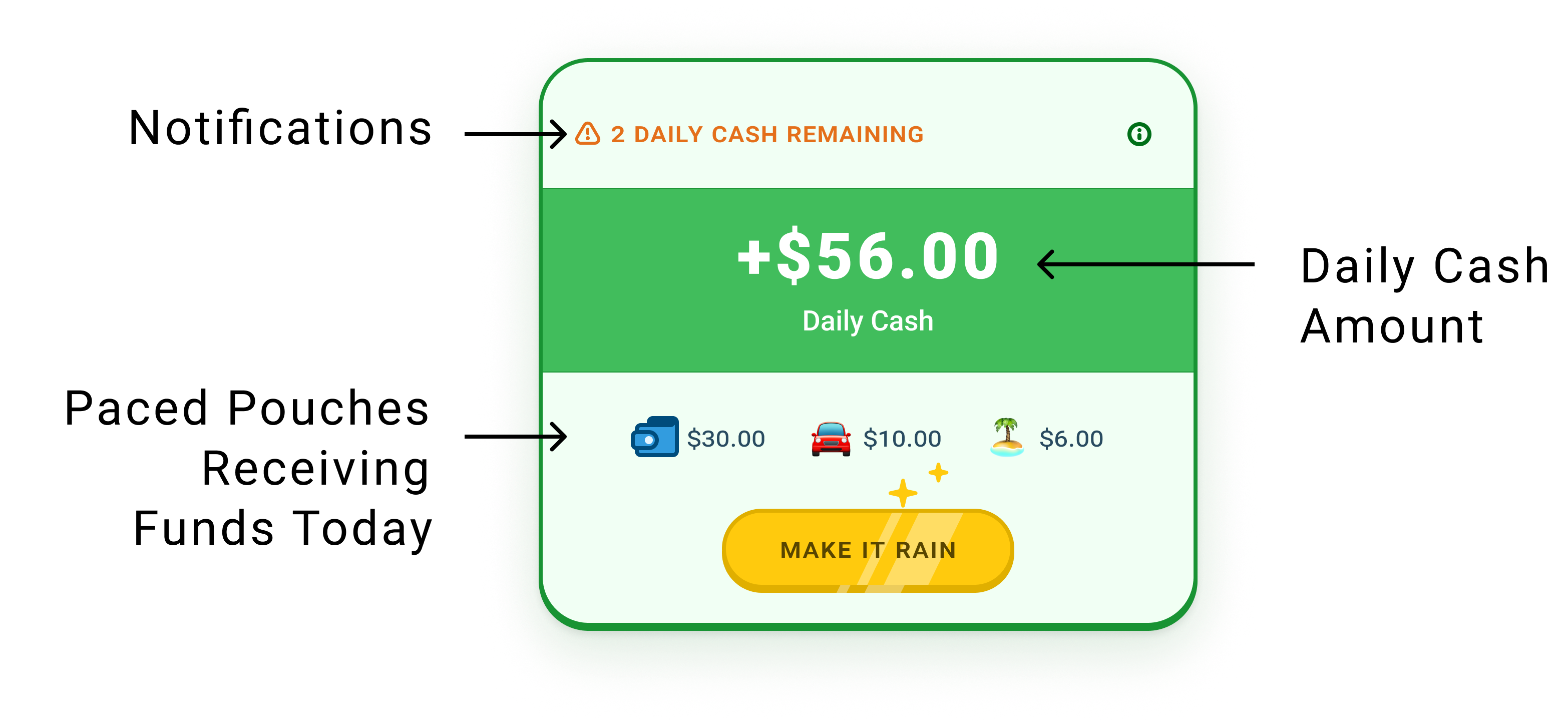
What to expect
- A consistent daily amount
- This affects your Living Pouch balance
What to do
- Swipe right to send today’s funds to your paced pouches
- Take notice of your Living balance and how well you’re staying on pace
👉 Daily Cash is about awareness, not restriction. You don’t assign Daily Cash. Roo already knows where it goes.
Additional Paced Pouches
Your Living Pouch is the main paced pouch, but you can pace other pouches too, like Fun Money or Eating Out. Each day, your Daily Cash is split across every paced pouch based on your plan. Your plan is the Income Splitter River.
Paced PouchesCommon Mistakes
❌ Swiping a transaction to the wrong pouch
This is the most common mistake and it’s easy to fix.
If you notice it immediately
- Click on the Undo button on the Roo screen
If you notice it later
- Find the transaction in the account or pouch. Tap the Reprocess button. Go back to the Roo screen and swipe it to the right pouch.
👉 Nothing breaks. You can’t mess this up. Roo is built for corrections, not perfection.