
Reconnect Your Banks
🤔 Why is this happening
- your bank requires re-authorization every so often
- the bank updates its login/security process
- your bank triggers MFA (Multi-Factor Authentication)
Fix It Steps
If your bank disconnects:
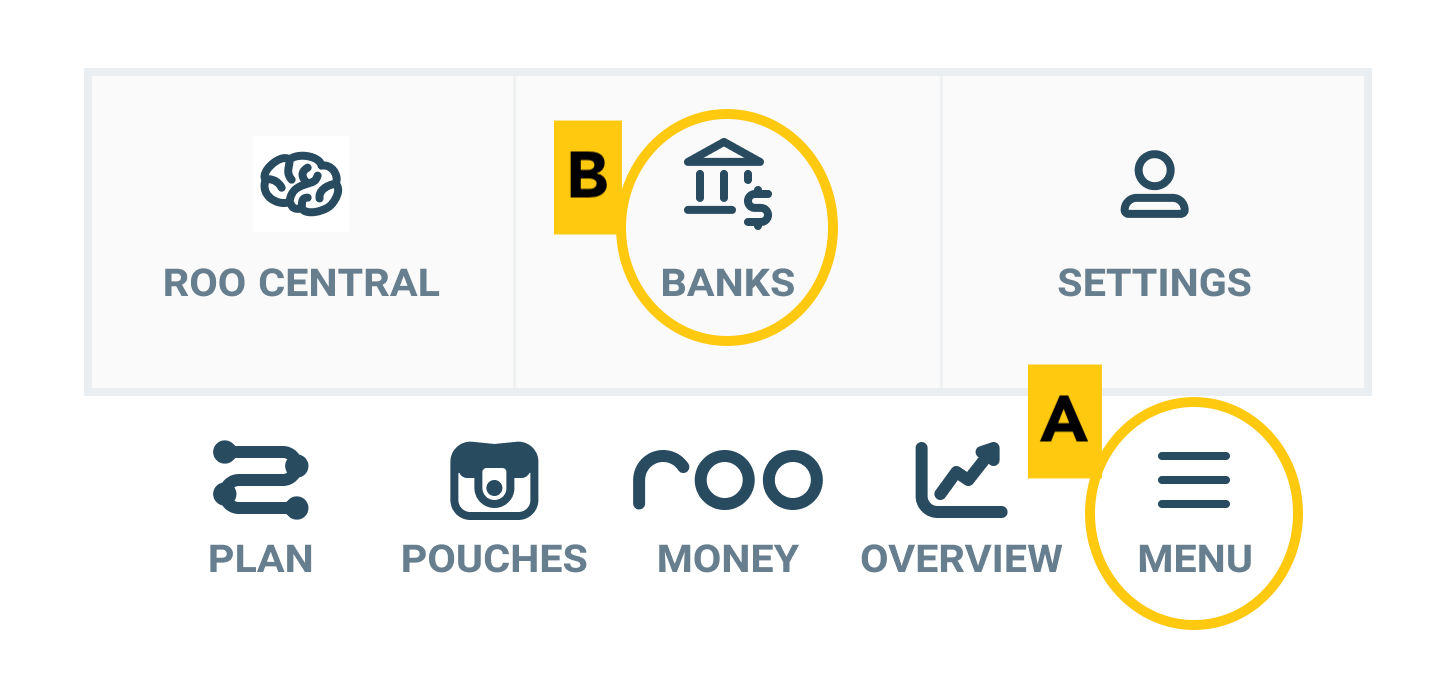
- Go to Menu → Banks
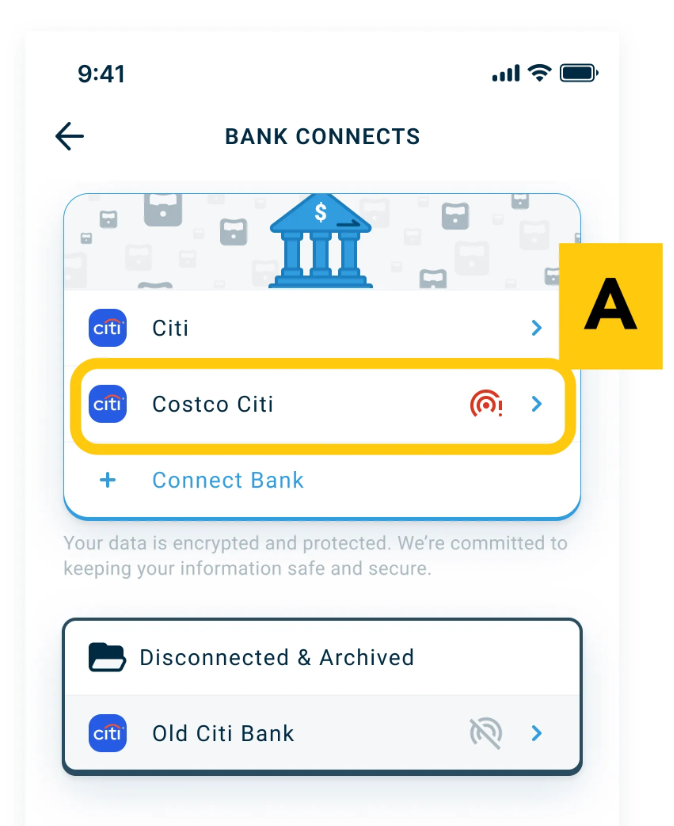
- Tap the name of the disconnected bank. It should have a red disconnected symbol next to it.

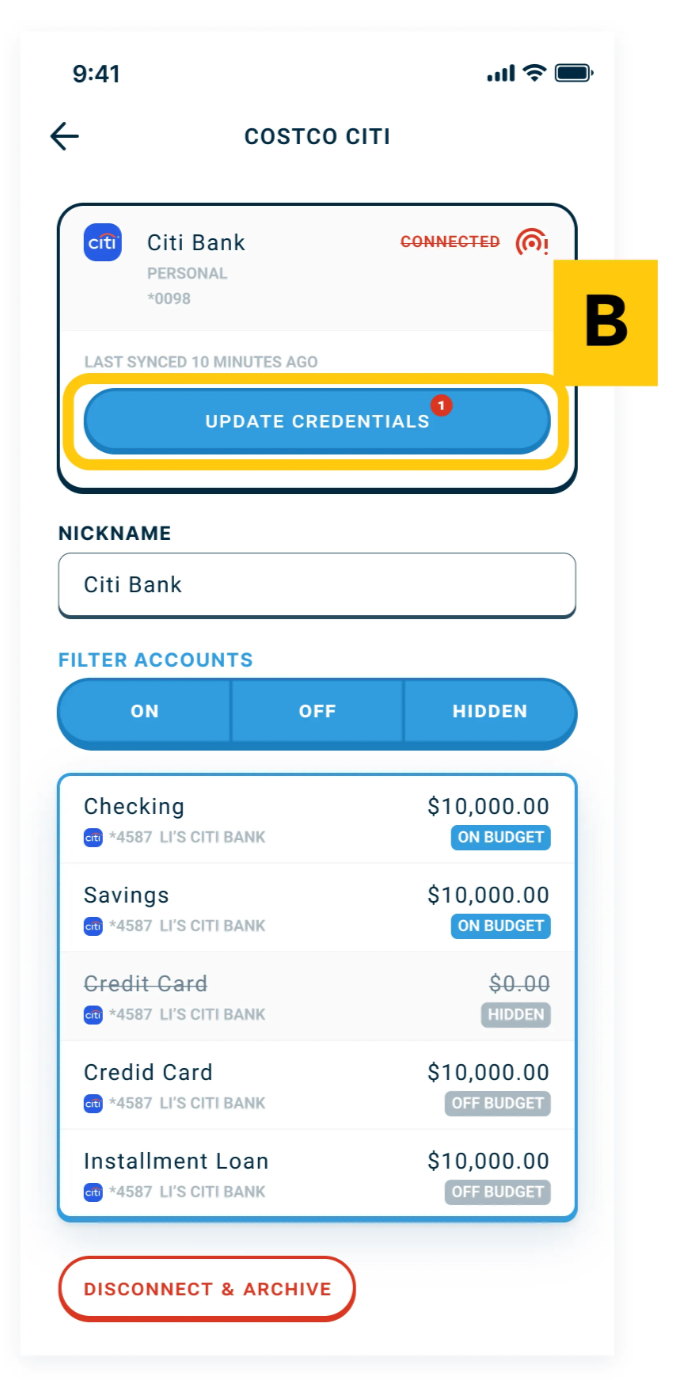
- Click on the Update Credentials button and sign in and complete along with any security steps (Multi-Factor Authentication, text code, etc.)
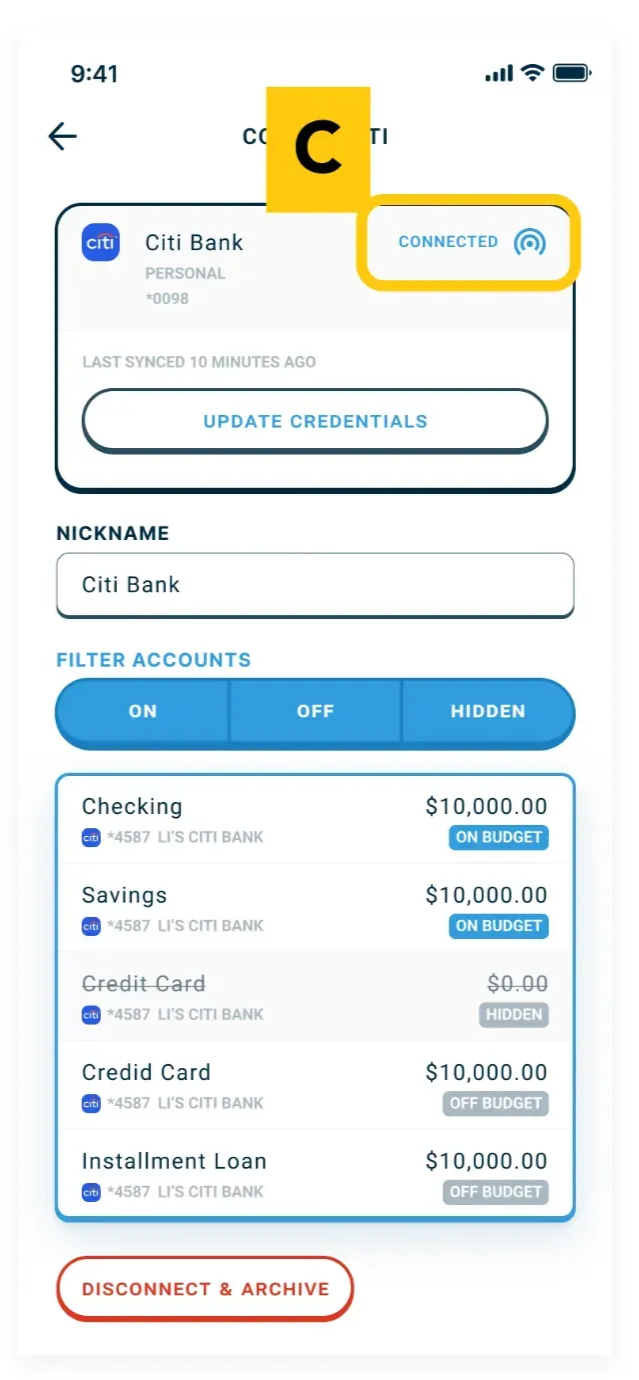
- Check back in a few minutes. If the red disconnect symbol is gone you know you are properly connected again.
Common mistake
- Most disconnects are solved with a quick reconnect and a short wait.
- People assume syncing is broken permanently and stop using Roo.
Still stuck?
If your bank won’t connect after trying the steps above, reach out to support through and include:
- your bank name
- what error message you saw
- whether you’re using Multi-Factor Authentication (yes/no)